Examples
Amazon A+ Content Examples: What High-Converting Modules Look Like
Real Amazon A+ Content examples — hero banners, feature-card modules, and benefit strips — and how AI generates them from your product data in seconds.
September 5, 2026 · 8 min read
Amazon A+ Content (formerly Enhanced Brand Content) lets brand-registered sellers replace the plain-text product description with rich image and text modules. Amazon reports that well-built A+ Content can lift conversion by up to 8% — and Premium A+ even more. But most sellers have never seen what a strong module actually looks like, so this guide walks through real Amazon A+ Content examples, module by module, and shows how AI tools like ListGod generate each one from your product data.
What Amazon A+ Content actually is
A+ Content lives in the "From the brand" section of a detail page. You assemble it from up to five standard modules (or seven with Premium A+): hero images, feature grids, comparison charts, and text blocks. Every module combines imagery with short, benefit-led copy — Amazon's own guidelines cap text density and require specific image dimensions like 970×600 for standard modules.
The catch: A+ Content is not indexed for search. Its entire job is conversion — turning the traffic your title and keywords earned into purchases. That means every module should answer a buyer objection or prove a benefit, not repeat the title.
Example 1: The hero banner module
The hero module is the first thing a shopper sees below the fold. The strongest examples pair a large, studio-quality product image with one bold headline and a single supporting line — nothing more. Cluttered heroes with badges, icons, and paragraphs of text consistently underperform clean ones.
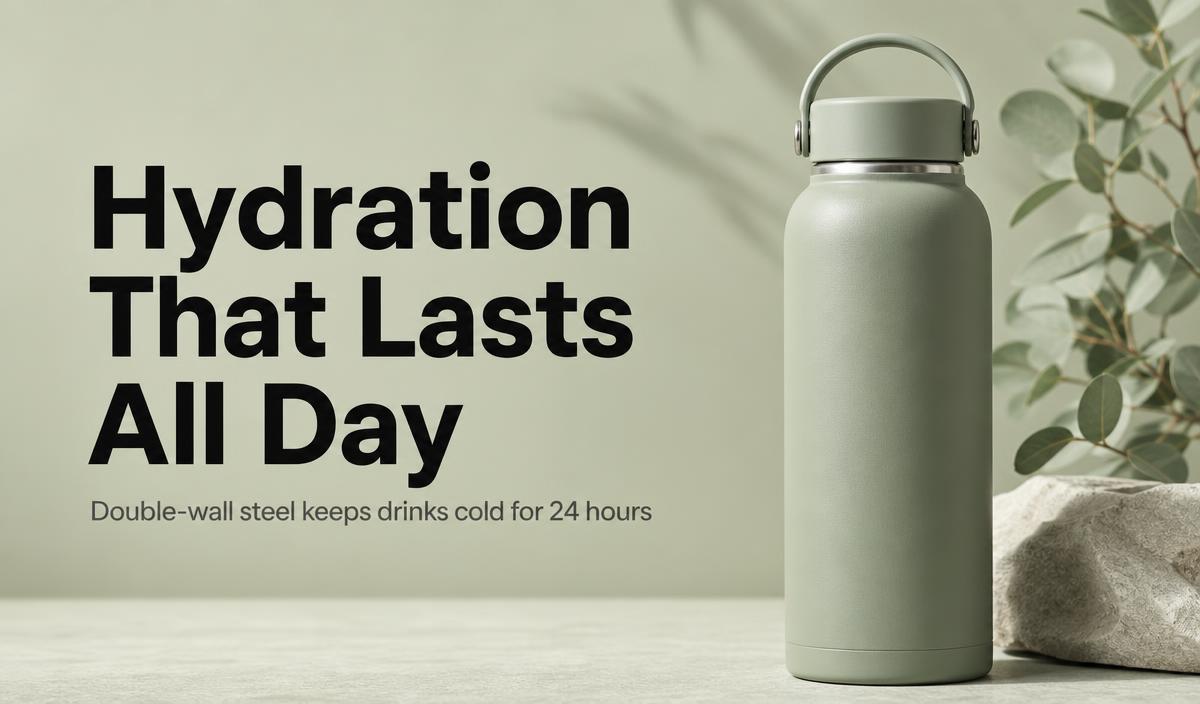
A hero module generated by ListGod: one product image, one fact-anchored headline, one subline — the layout Amazon's own best-practice examples follow.
Notice what the headline does: it sells a benefit ("hydration that lasts all day"), not a feature ("double-wall vacuum insulation"). The feature belongs in the subline, where it backs up the claim with a fact.
Example 2: The feature-card module
Feature-card modules translate specs into scannable proof points. The best examples use three to four cards — never more — each with one icon, one short label, and one line of explanation. Every card must come from the product's real specs: insulation time, material, certifications, dimensions.
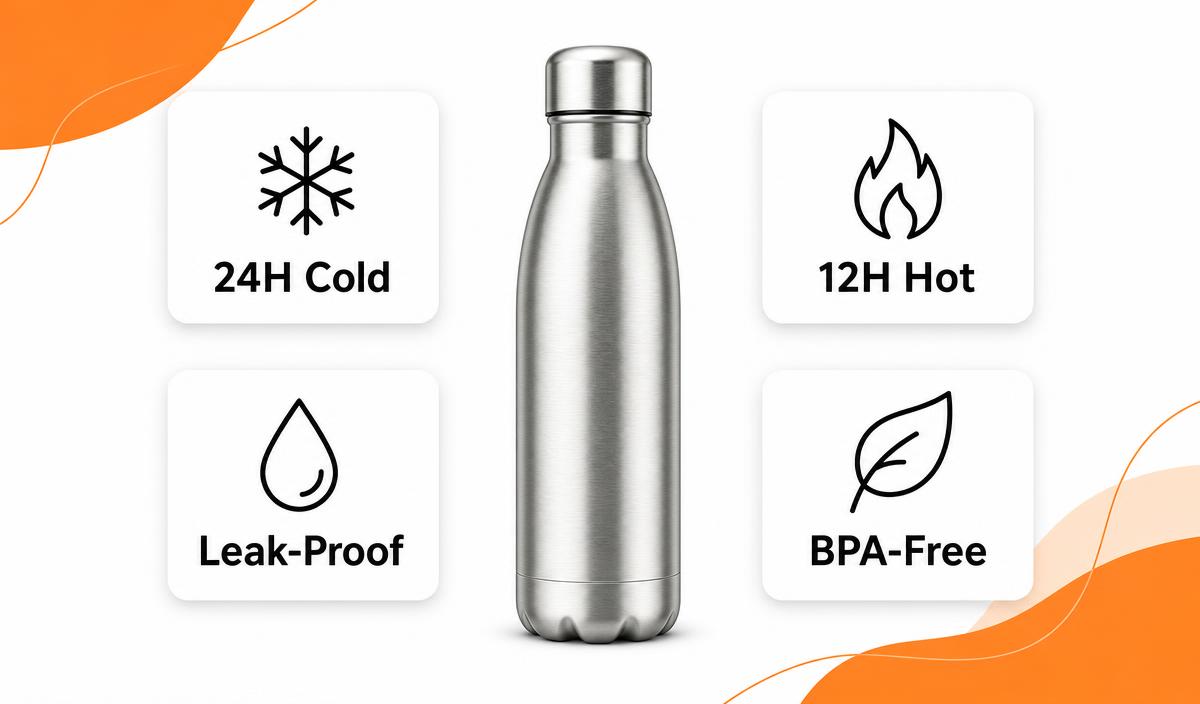
A four-card feature module generated by ListGod — each card is pulled from the product's actual scraped specifications, not generic filler.
- Icons are semantic. A snowflake means cold retention; a leaf means material safety. Generic checkmark icons tell the shopper nothing.
- Labels are quantified. "24H Cold" converts better than "Keeps drinks cold" because it's verifiable.
- Cards never repeat the hero. Each module should add new information, not restate it.
Example 3: Benefit strip and lifestyle modules
The remaining modules typically alternate between lifestyle imagery (the product in use) and benefit strips — horizontal rows of three to five mini-features. Strong examples anchor every strip item to a real detail from the listing: dimensions from the technical table, materials from the bullet points, warranty terms from the description. Weak examples use generic claims like "Premium Quality" or "Thoughtful Care" that could apply to any product in the category — shoppers have learned to skip them.
What all high-converting examples have in common
- Fact-anchored copy. Every claim traces back to a spec, material, or certification on the listing.
- One idea per module. Hero = promise, cards = proof, strip = breadth, closing = reassurance.
- Consistent color story. The strongest examples pull their palette from the product photography itself, so the section feels designed rather than templated.
- Mobile-safe type. Over 70% of Amazon traffic is mobile; text must stay legible at 375px wide.
How AI generates these modules in seconds
The traditional A+ workflow is a design project: brief a designer, wait days, pay agency rates per module, then iterate. ListGod compresses that into one step. Paste an ASIN, and the tool scrapes the listing's real title, bullets, and specifications, extracts the product imagery, and renders a full set of A+ modules — hero, feature cards, benefit strips — with copy anchored only to the facts it found. No generic "Premium Quality" headlines; if a claim isn't in your listing data, it doesn't appear in the design.
Because the modules are generated from your product's colors and images, you can also edit any module with a plain-language prompt — "make the background darker" or "move the product to the left" — and regenerate without starting over.
The result: agency-level A+ Content for a new ASIN in minutes instead of a week-long design engagement — which is what makes running A+ Content across an entire catalog, not just your top three sellers, realistic.
Generate A+ modules from your own ASIN
Paste your product's ASIN and ListGod builds the full module set — hero, feature cards, and benefit strips — from your listing's real data.
Try it free